 User administration
User administration
User administrationMenu Project – User administration.
With the user administration one or more users are assigned to a page of the visualization. Through the control element Block user control you log in on the APP and afterwards only see those pages that are released for this user. A finished example is available under Help – Example projects – demo_benutzer.
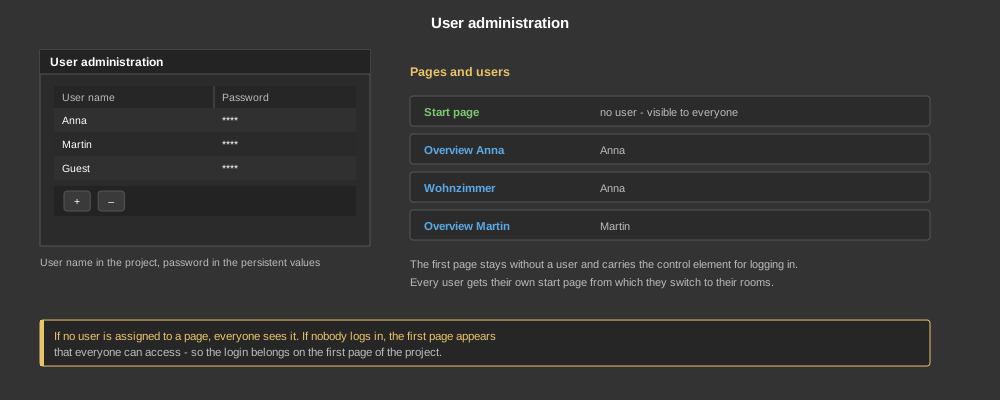
In the dialog users are created with + and removed again with −. For each entry a user name and a password are given. The user name is stored in the project, the password on the other hand in the persistent values of the controller – because it can also be changed at the control element and must not be overwritten again on the next transfer.
In the properties of the page those users are selected that may access the page. The following applies:
The first page in the project should therefore always be the one open to everyone – and that is where the control element for logging in belongs.
Tip: If the APP is to start with a certain user right away without logging in, there is the start parameter --logon-user, see APP – Start parameters.