 Mailserver
Mailserver
MailserverMenu Project – Mailserver.
Here it is set which way the controller sends e-mails – for instance when reporting a fault.
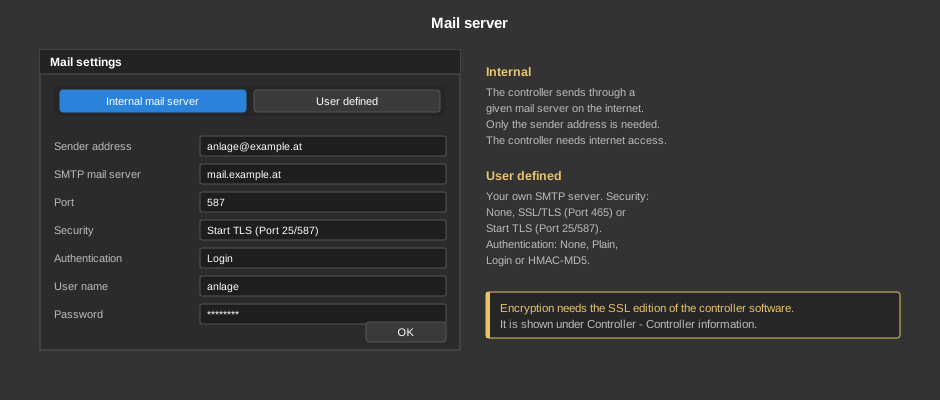
The default. The controller sends through a given mail server on the internet, only the sender address has to be entered. The prerequisite is that the controller can reach the internet.
Your own SMTP server, for instance the customer's. The following is entered:
| Sender address | The address that appears as the sender at the recipient. |
| SMTP mail server | Name or IP address of the server. |
| Port | The port of the server. Common are 25 and 587 without respectively with Start TLS, and 465 for SSL/TLS. |
| Security | None, SSL/TLS (Port 465) or Start TLS (Port 25/587). Which variant applies is dictated by the operator of the mail server. |
| Authentication | None, Plain, Login or HMAC-MD5. Most servers require Login or Plain. |
| User name / Password | The credentials of the mail account. With authentication “None” they stay empty. |
Note: An encrypted connection (SSL/TLS or Start TLS) requires the SSL edition of the controller software. Which edition is running is shown under Controller – Controller information.
Tip: Many providers today require a dedicated app password instead of the normal account password and reject logins otherwise. If sending fails, a look into the channel Error of the diagnostics helps.